
Usability Challenges of Home-Use Medical Devices: Designing for Lay Users
TL;DR
- Hospital-at-Home programs are expanding, but most medical devices were designed for clinical settings, not lay users in uncontrolled home environments.
- HUD usability challenges fall into three documented categories: device user limitations, unpredictable home environments, and interface design gaps.
- ECRI identified HUD usability as the top medical device hazard of 2024, citing real patient harm from misuse, missed alarms, and data misinterpretation.
- Effective HUD design requires addressing physical size, interface intuitiveness, connectivity reliability, information feedback, and training materials from the outset.
- Human factors engineering should be applied throughout development — not retrofitted after a hospital-grade device is selected for home use.
Healthcare providers around the globe are facing mounting challenges in care delivery. Healthcare worker shortages, increasing demand for services, rising costs, aging populations, growing prevalence of chronic diseases, and overcrowded facilities are straining resources and budgets. These challenges are inspiring care providers to innovate new approaches to healthcare delivery, including the emergence of homecare models like Hospital-at-Home (HaH), which permits low-risk, stable patients to receive care in their own homes rather than in a traditional hospital environment. These programs have strong patient support: one survey of an HaH program in British Columbia, Canada found 75% of eligible patients, if given the option, would choose HaH and that 99% of HaH participants would recommend the program to others.[1] A recent review article also concluded that HaH programs offer real cost savings potential for healthcare systems while delivering care as effectively as in hospital.[2]
Realizing HaH’s full potential still requires overcoming many hurdles, particularly innovations in medical devices to support and monitor patients in HaH programs. Advances in areas like sensor technologies, leveraging the growth in digital infrastructure and artificial intelligence (AI) tools to support telehealth, and wearable device innovations are helping make a new generation of home-use devices (HUDs) possible. The list of HUDs already being employed for home use includes:
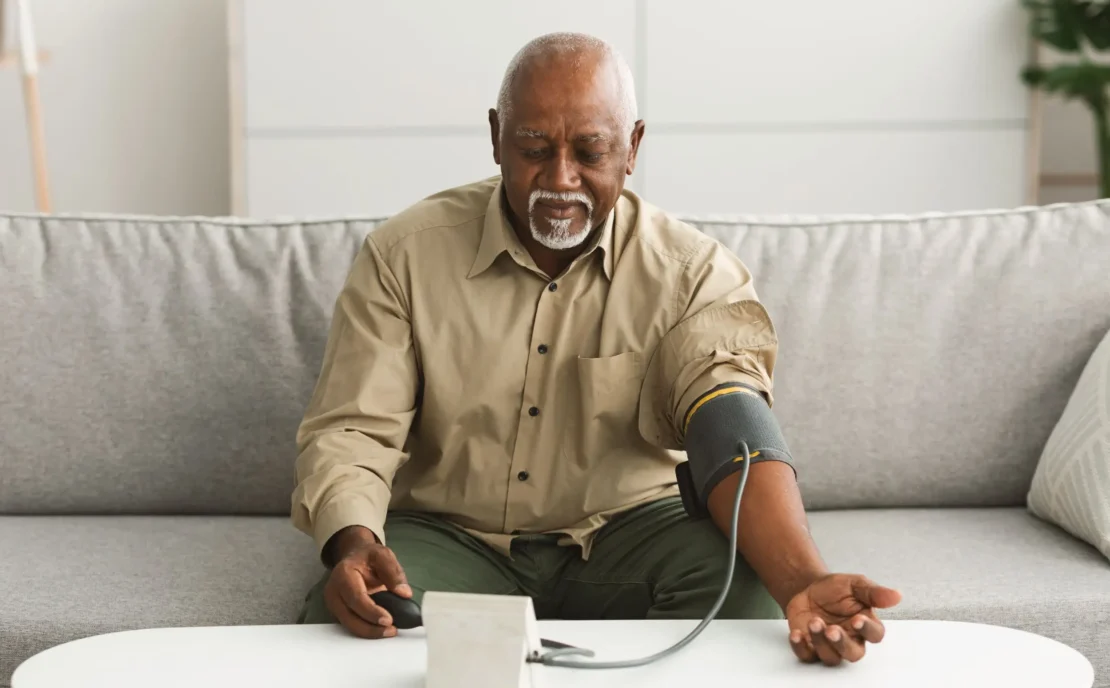
- Monitoring devices: blood pressure monitors, pulse oximeters, peak flow meters, heart rate and rhythm monitors, thermometers, glucometers, weight scales
- Drug delivery tools: intravenous (IV) pumps, injectors (self or wearable)
- Ventilators and CPAP devices
- Hemodialysis systems
- Activity monitors: movement trackers, muscle activity monitors, gait monitors
The market for HUDs is expected to grow rapidly in coming years, with one estimate of the home medical devices market predicting >6% year on year growth, up to a value of $51.4 B (USD) by 2035.[3]
Home-Use Devices Face Challenges Hospital Devices Don’t
The accelerating adoption of HUDs is enabling patients to leave hospital sooner to continue their care in the comfort of home. But this shift introduces real challenges and safety risks. FDA reports on Home-use Medical Devices (2010, 2014)[4],[5] acknowledged that HUDs face many challenges, in part stemming from the unpredictability of the use environments, the varying knowledge and skills of the intended lay-users, and the general usability of these types of devices. Unlike the predictability of the healthcare environment and its skilled professional users, HUDs may need to be operated in a variety of use environments (home, outdoors, travelling) by a heterogeneous, non-medical group of users including patients, family members, and carers possessing diverse backgrounds, knowledge and skills, physical and mental capabilities, language skills, and ages, to name a few.
A systematic review by Tase et al. (2022)[6] took a deeper dive into the academic literature to identify the types of usability challenges experienced by end-users when using HUDs in the home environment. Their review categorized these usability challenges into 3 groups, those affected by: device users, the use environment, or the user-interface. A summation of their findings combined with our own observations follow.
Device User Challenges
Most HUD operators are older adults (50+), bringing age-related challenges including declining memory, vision, and hearing. Patients requiring HUDs are likely to have chronic illness and/or disabilities impacting their ability to operate the devices (for example, loss of sensation, or motor control, or fine motor movement). The operation of small buttons on devices is often difficult for those with mobility issues. Furthermore, the operation of HUDs may require adequate cognitive and physical skills. As laypersons, most HUD users are likely to lack the necessary training and education to operate HUDs safely and effectively. Tasks such as connecting and maintaining wireless device connectivity to the internet for data transmission or the proper placement and wearing of a HUD to function correctly are some commonly observed use errors. Failing to recognize malfunctions or errors can delay treatment or error correction. Finally, differences in health and cultural beliefs may impact compliance and acceptance of HUDs.
Device Use Environment Challenges
Compared to more standardized healthcare settings, the home is a highly uncontrolled environment for operating a medical device. Physical spaces in the home are unpredictable, potentially making the use of larger HUDs like dialysis machines impractical. Equipment might also be outdated or preprogrammed with settings intended for use in healthcare facilities, requiring reprogramming to make them appropriate for the home use environment (for example, infusion pumps). The uncontrolled environment was noted as a contributing factor to users overlooking suggested maintenance and/or calibration checks. The home environment can also contribute to connectivity issues for wireless devices. Varying construction materials and local RF interference may disrupt wireless connections, making connection to a centralized base station difficult for capturing and transmitting patient data.
Device-User Interface
The user interface of HUDs can pose a variety of difficulties for home users. The most commonly observed challenges, per Tase et al. (2022),[6] involved control and screen design, particularly insufficient instructions or guidance when reacting to or locating the source of problems and how to resolve them, especially in emergency situations. User feedback from alarms may not always be clear or informative to the user, leading to confusion. Device settings and positioning of interface controls do not always consider patients with visual or sensory loss, making interactions with HUDs difficult. Variation between different makes and models of similar device types can also complicate data interpretation.
In our own research, we have also observed the importance of the type of information and how it is presented in instructions for use documentation, which can introduce operator confusion or lead users to develop their own strategies to resolve problems. Oversimplified user interfaces can also introduce user challenges. Displays that use confusing icons or buttons with multiple functions are particularly difficult for patient populations with physical, sensory, or cognitive impairments.
The independent safety watchdog ECRI placed usability challenges of HUDs at the top of their annual list of medical device hazards in 2024. ECRI CEO Marcus Schabacker stated that severe harm can result from the misuse or malfunction of medical devices in the home, that patients and caregivers who misinterpret device readings may feel a false sense of security, and that errors may go undetected or unreported, making it difficult to identify problematic trends.[7]
ECRI’s 2024 report noted that most medical devices are not designed for laypeople, and that devices may be too complex to operate safely or might not be designed to work in environments different from the controlled healthcare environment. Their researchers documented numerous examples of patient harm from home-use devices: medication errors when changing infusion pumps, skin injuries from incorrectly applied cardiac monitor electrodes, fatalities from home ventilator alarms that failed to activate or went unheard, and patient deaths from dislodged venous needles during home hemodialysis.[7]
Understanding these challenges is only the first step. Successfully supporting Hospital-at-Home programs requires HUDs that are intentionally designed around the realities of home use and the capabilities of lay users.
Designing HUDs That Actually Work in the Home
Hospital at Home and similar homecare programs are expanding, so designing future HUDs to meet the unique challenges of home use is integral to making these programs safer and more effective. The days of medical devices intended for use in healthcare settings being implemented for home use is no longer acceptable. The research described above emphasizes why it is essential that HUDs are designed to address the unique challenges of patient, caregiver, and homecare worker operators in a non-healthcare setting while still providing accurate data and the necessary performance.
At StarFish Medical, our usability research has led us to reflect on a wide array of usability considerations when developing novel HUDs, ranging from the physical size and layout of the device, the user interfaces, to what information and feedback is provided to the user, device connectivity, cleaning, decontamination and waste disposal, and training and instructional materials. Some of these considerations are summarized in the sections below.
Size, Weight, and Portability Shape Real-World Usability
The physical size and layout are critical aspects of a HUD’s design. A clear understanding of the intended use environment(s) and device users will help ensure the design is not too large to practically fit in the intended use setting or too heavy to be easily moved. If the device needs to be operated or transported to integrate with patients’ lives, the design may need to withstand travel in a suitcase, pass airport security inspection or be worn outdoors where it will be exposed to varying environmental conditions. Wearable devices requiring frequent battery charges should allow users to easily remove, put on, and reposition the device as well as facilitate easy connection/disconnection with a charging station, even for those with mobility impairments. Charge time should also be considered to ensure the device is available when the patient is expected to use it for its intended purpose.
Controls That Lay Users Can Actually Navigate
In addition to the physical characteristics of the HUD device, the design of the user interfaces can make or break a HUD design. Physical interfaces must be intuitive, with buttons carrying clearly identified functions and appropriate labelling when possible. Buttons having multiple functions should be implemented with caution, as these can lead to confusion and user errors. If connection of tubing or cables to the device are required, utilizing color coding and/or uniquely shaped connectors can eliminate user mistakes. If the orientation of the device or one of its components is critical, providing visual or physical cues can help steer users in the right direction.
When GUI Familiarity Becomes a Liability – does that work
Increasingly, devices are becoming more reliant on graphical user interfaces (GUIs) to interact with and to provide information and feedback to users. The use of touchscreens is now common and increasingly familiar to users but their integration into a HUD may not be the optimal choice for some applications. Wearable devices, for example, may have too small a footprint to accommodate a touch display sufficiently large enough to interact with, particularly for those with vision or mobility challenges. Manufacturers often prefer to rely on iconography to reduce the need for multi-language software versions, but the selection of these icons needs to be carefully considered and tested to ensure user comprehension. Likewise, software and displays should provide adequately large text for those with vision impairments. Workflows for GUIs should be intuitive, easy to follow, and allow users to correct mistakes, step backwards, skip optional steps, and exit or restart workflows as necessary. However, critical steps in the workflow must be protected so important information is not overlooked.
Patients Want More Information Than Devices Typically Give Them
HUDs are often designed with an emphasis on the healthcare workers, the data the device will collect, and how it will be used by the medical professionals. However, when asked, many patients and their caregivers express a keen interest to be well informed about the operation of the device and the data it is monitoring. Insights into the data gathered and the clinical value of the information could improve patient compliance and make them more likely to contact their healthcare professional in the event of an error or emergency. Researchers are increasingly investigating if gamification of wearable devices may improve compliance levels with patients.[8] Designing devices with in-built prompts to guide users through an emergency scenario and providing adequate feedback related to errors or troubleshooting should be unambiguous and offer users clear instructions on corrective actions.
Wireless Connectivity: A Capability That Introduces Its Own Risks
HUDs are increasingly reliant on internet connectivity to capture patient data and to transmit that data to local or remote devices for data storage and remote monitoring by healthcare professionals. Wireless connections offer many advantages to patients by offering increased mobility, but these connections come with their own challenges. We have observed that pairing devices via Bluetooth connections can cause laypersons and healthcare professionals alike to struggle due to confusing or unclear instructions or workflows. Interoperability with healthcare IT systems should also be considered, so the device data can seamlessly integrate with existing patient records or hospital IT infrastructure. Finally, the importance of maintaining a stable connection should not be underestimated. Wearable HUDs, in particular, face challenges related to unstable wireless connections due to interference or connection instability. This can result in data loss, so designing contingencies for these events is critical. Furthermore, if the device is designed to be connected to the network only by a healthcare professional, it will require sufficient onboard data storage during the unconnected period and automated uploading of the data once the connection is re-established.
Cleaning Protocols Must Be Achievable by Non-Clinical Users
Maintaining the cleanliness of medical devices is important to the safety of patients and others who may come into contact with the device or its disposables. Cleaning protocols should be achievable, use products that aid in the process (for example, wipes impregnated with cleaner/disinfectant) and not introduce any additional risk of harm to users. Disposable consumables should protect the user, bystanders and the environment from unnecessary exposure.
Training Is Not an Afterthought: It’s Part of the Device
Training and instructions for use for HUDs are often an afterthought in the device design process. However, patients and caregivers cannot be expected to have the same level of knowledge related to the purpose or operation of medical devices that a healthcare professional would possess. Moreover, home users are unlikely to have prior experience with most devices and will be expected to manage errors, troubleshoot and potentially operate the device in emergency situations. Training and instructional tools that account for the experience and knowledge level of the users are critical. Those relying heavily on visual information such as videos or illustrations are a great resource and quick reference guides or guided workflows on devices can walk users through complex processes step by step.
Conclusion
As Hospital-at-Home and other homecare models continue to expand, the success of these programs will depend increasingly on medical devices designed specifically for use by patients, caregivers, and homecare providers outside traditional clinical settings. Effective home-use device design requires more than simply adapting hospital equipment for the home. It demands a deep understanding of users, environments, workflows, and the challenges they face. By applying human factors engineering throughout development, manufacturers can create devices that are safer, easier to use, and more likely to support positive patient outcomes. For HaH to deliver on its promise, human factors cannot be an afterthought. It has to be the starting point.
Mark Ware is a StarFish Medical Senior Human Factors Engineer, Molecular Diagnostics Scientist, Human Factors Specialist and Global Health Advocate. Over a 20+ year career in the biotechnology and in vitro diagnostics (IVD) sectors, Mark has worked in both private and not-for-profit organizations, developing a comprehensive understanding of the molecular diagnostic (MDx) market and wider biotechnology landscapes, key large and small industry players, and regulatory frameworks in strategically important global markets.
Images: Adobe Stock
References
[1] Specialist Services Committee. Transforming care with hospital at home in British Columbia. April 2025. https://sscbc.ca/news/2025/04/22/transforming-care-hospital-home-british-columbia
[2] The Cost-Effectiveness of Homecare Services for Adults and Older Adults: A Systematic Review. Curioni C, et al. Int J Environ Res Public Health. 2023 Feb 15;20(4):3373 https://pmc.ncbi.nlm.nih.gov/articles/PMC9960182/
[3] Towards Healthcare. Home Medical Equipment Market Size and Companies (2026-2035). https://www.towardshealthcare.com/insights/home-medical-equipment-market-sizing
[4] Center for Devices and Radiological Health (CDRH) U.S. Food and Drug Administration (FDA). Medical Device Home Use Initiative, April 2010. https://www.fda.gov/media/78647/download
[5] U.S. Food and Drug Administration (FDA). Design Considerations for Devices Intended for Home Use Guidance for Industry and Food and Drug Administration Staff. November 2014. https://www.fda.gov/media/84830/download
[6] A. Tase, B. Vadhwana, P. Buckle, GB. Hanna. Usability challenges in the use of medical devices in the home environment: A systematic review of literature, Applied Ergonomics, Volume103, 2022, https://doi.org/10.1016/j.apergo.2022.103769
[7] ECRI. Challenges with home-use medical devices for patients and caregivers tops ECRI’s 2024 health tech hazards. January 31, 2024. https://ecri.ca/blogs/ecri-news/challenges-with-home-use-medical-devices-for-patients-and-caregivers-tops-ecris-2024-health-tech-hazards
[8] Chang, W., Huang, Y. & Kim, D. The influence of gamification features in wearable fitness devices on perceived value, device loyalty, and exercise continuance intention: the moderating role of personal innovativeness. Humanit Soc Sci Commun 13, 316 (2026). https://doi.org/10.1057/s41599-026-06640-2
Related Resources

The hourly rate is only a starting point when you choose a medical device engineering firm. Learn how to judge team staffing, in-house disciplines, facilities, ISO 13485 scope, and track record before you sign.

Medtech leaders expect connected products to take over their portfolios within five years. Three years of actual FDA clearance filings show a real climb, just a much more gradual one.

Learn why supply chain, process, cost, and quality gaps stall cleared devices, and why they are decided during design.

From skipping the doers to estimating toward a target budget, these ten project estimation pitfalls explain why good estimates go wrong and what to do instead.